 Education Quest
Exam practice your child will actually want to do
Education Quest turns 7+, 8+ and 11+ preparation into an adventure. Children travel a map of worlds, beat boss battles and earn stars. Behind the fun is real exam-style practice in maths, English, verbal reasoning and non-verbal reasoning.
Play now on any computer, laptop or tablet. Apps for iPhone, iPad and Android are coming soon. Free to start, with a 7-day free trial of Premium.
- No adverts
- Parent area behind a PIN
- Up to 4 children on one plan
Every subject in the exams
Questions are made fresh every time in the style of the real tests, so children never run out and can't just remember the answers.
Maths
Number, fractions, money, shape, data, problem solving and timed mental maths.
English
Comprehension, spelling, grammar, punctuation and vocabulary, plus a writing desk for the 7+ and 8+.
Verbal reasoning
Letter codes, hidden words, analogies, word links, number series and more.
Non-verbal reasoning
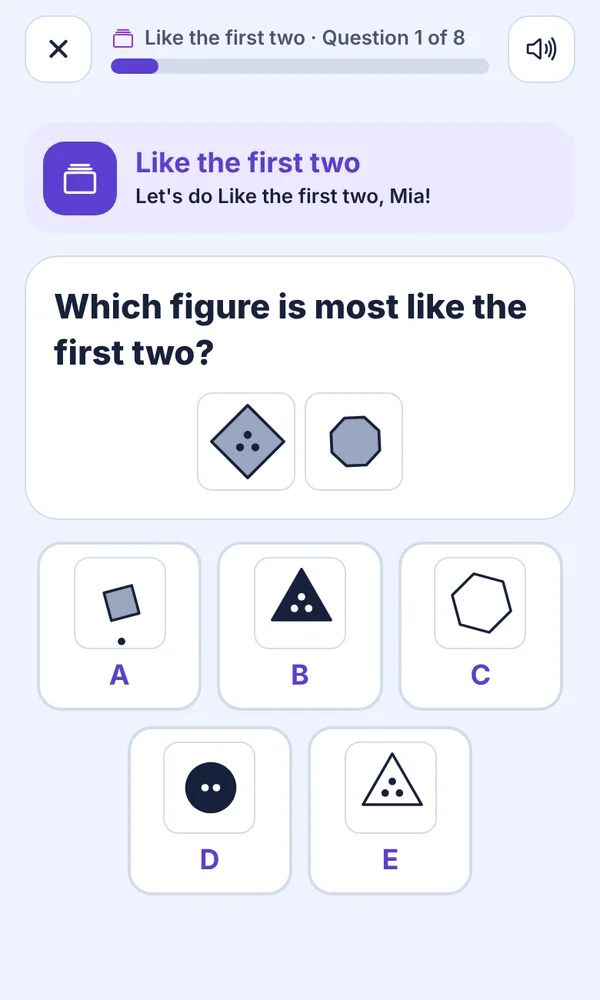
Patterns, codes, grids, reflections, folding, cubes, 3D views and hidden shapes.
Learning that feels like a game
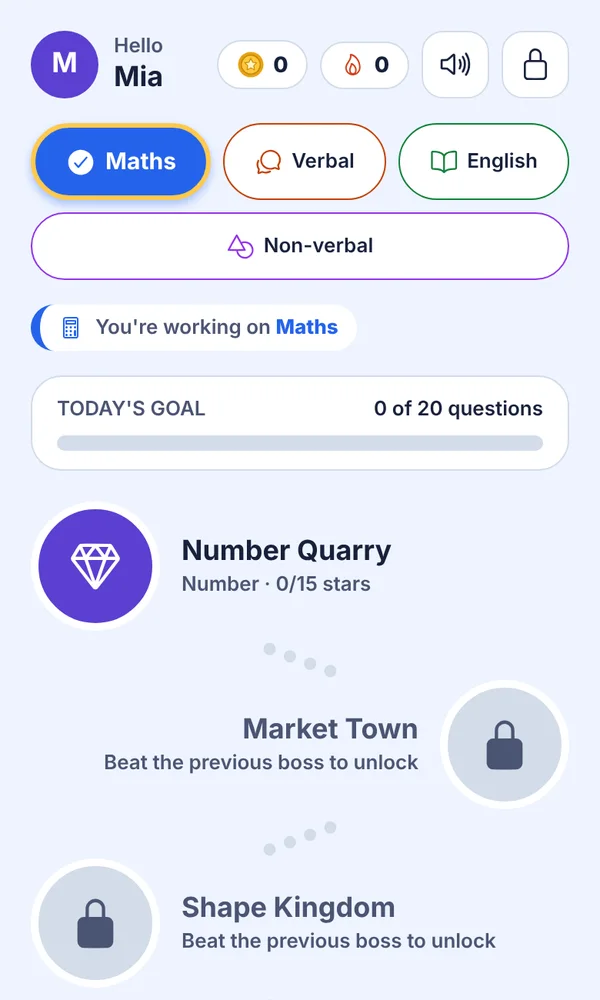
- A map of worlds to explore. Each world teaches one skill. Beat its boss battle to open the next.
- Pip, a friendly talking guide, greets your child by name, cheers streaks and suggests a break when it's time.
- Every mistake is explained step by step, then your child tries a similar question so it sticks.
- Short lessons with worked examples before new topics.
- Timed mock papers in the style of the real exams, section by section, so test day feels familiar.
- Answer by voice: children can say their answer instead of tapping.
You'll know exactly how they're doing
The parent area is protected by your PIN. Inside you'll find:
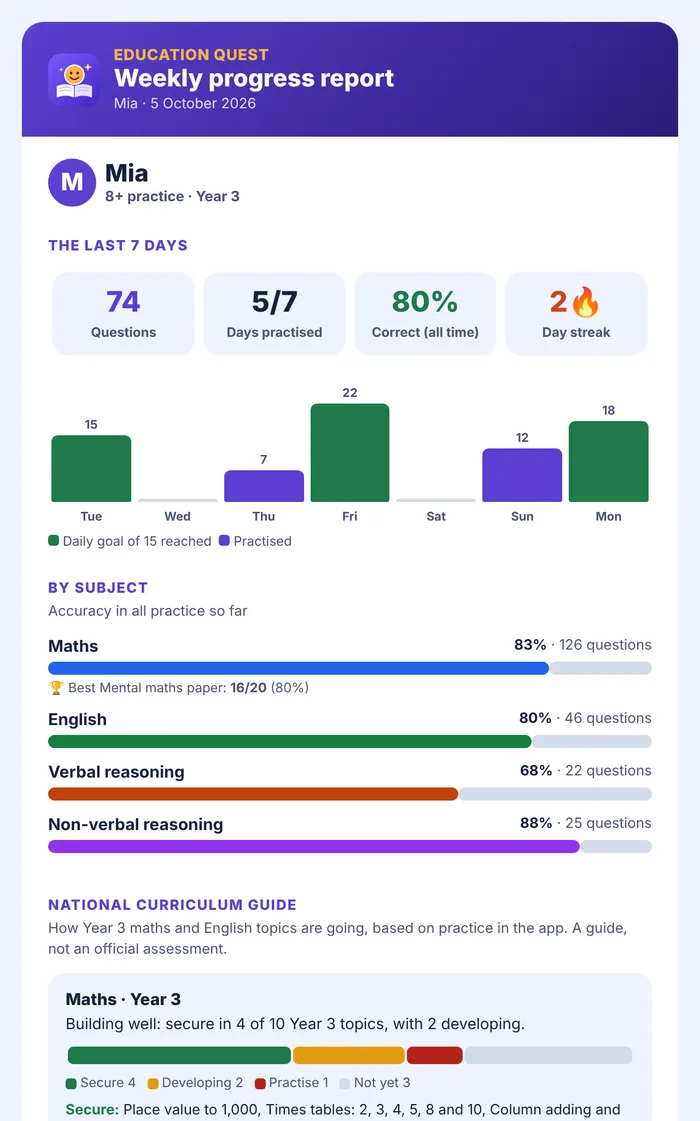
- Progress by subject and topic, best mock scores and the mistakes made most often.
- Weekly progress emails with charts, a national curriculum guide for their school year and what to practise next.
- Results emails after mock papers and boss battles, if you'd like them.
- Reminders on your child's device for daily practice and keeping their streak going.
- Your own settings: the voice, timers, how lessons work and what happens after a wrong answer.
Built for every kind of learner
In the parent area, choose any areas where your child needs support and the app suggests adjustments. You can switch each one on or off, and the needs you choose stay private on your child's device.
Read aloud
A read-aloud button on every question, or have every question read out automatically.
Easier reading
Bigger text, more space between lines and letters, high contrast and tinted backgrounds.
Fewer choices
Three answers instead of five in practice, plus bigger buttons and a Check button against accidental taps.
Calm mode
Gentle feedback with no red crosses, no animations and no streaks.
Step by step
Explanations one step at a time, in plain, literal language.
Short rounds
Rounds of four questions, with extra time on timed papers if you set it.
Simple pricing for the whole family
One plan covers up to 4 children, on every device you sign in on.
Monthly
£9.99
per month 7-day free trialExam countdown
£44.99
every 6 months Works out at £7.50 a monthYearly
£59.99
per year Works out at £5 a monthSubscriptions are paid through your Apple ID or Google Play account and renew automatically until you cancel. You can cancel at any time in your App Store or Google Play subscriptions, at least 24 hours before the renewal date. Prices include VAT.
Safe by design
Made for children, with parents in charge.
No adverts, no tracking
We don't show adverts or use advertising trackers, and we never sell data.
Parents hold the keys
Settings and subscriptions sit behind your PIN. You'll get an email if someone keeps trying the wrong PIN.
Very little about your child
Just a first name or nickname and a school year. No photos, no chat, no contact with other users.
Delete any time
Delete your account and all your children's data from the app in a few taps. How it works
Questions parents ask
Which exams does it help with?
The 7+ and 8+ entrance tests for independent schools, and the 11+ for grammar and independent schools. It covers the four areas these tests use: maths, English, verbal reasoning and non-verbal reasoning. Exams differ by school and area, so check what your chosen schools test.
What age is it for?
Children in Years 2 to 6 (about ages 6 to 11). You choose your child's school year and target exam, and questions are pitched to match.
Can more than one child use it?
Yes. One subscription covers up to 4 children, each with their own progress and settings. You can use it on all your family's phones and tablets by signing in with the same account.
Do I need to sit with my child?
No. Pip reads out instructions, explains mistakes and suggests breaks, so children can practise on their own. The writing desk is the exception: a grown-up gives the stars, as free writing needs a person to mark it.
Will it guarantee a pass?
No app can promise that. Education Quest gives regular, well-explained practice and shows you where your child needs help, which is what makes the biggest difference.
How do I cancel?
On iPhone or iPad: Settings › your name › Subscriptions. On Android: Play Store › your profile picture › Payments & subscriptions › Subscriptions. See Help and support for more.
Start the adventure
Free to start. Try Premium free for 7 days.
Play in your browser today. Phone and tablet apps coming soon.